360 Video Booth Setup: Plan the Space and Guest Flow
- Home
- Blog Standard
- Blogs
- Blog Details
360 Video Booth Setup: Plan the Space and Guest Flow
A thoughtful 360 video booth setup starts with the room, not just the platform. Guests need an obvious place to join the experience, the camera needs a clear operating area, and people collecting their clips need somewhere to pause. Planning those three spaces together helps the booth feel like part of your celebration instead of an obstacle beside the dance floor.
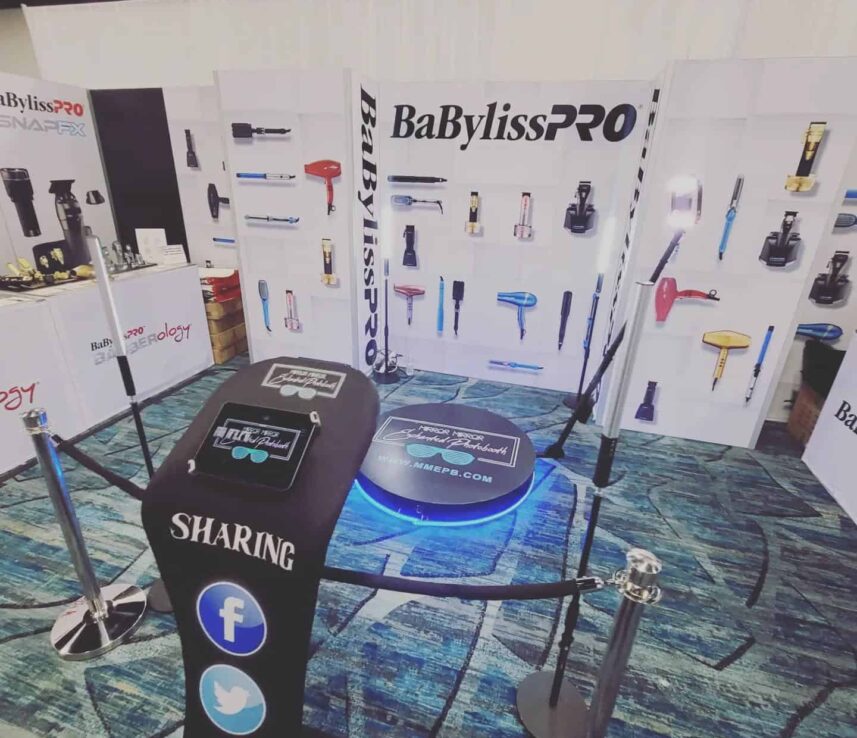
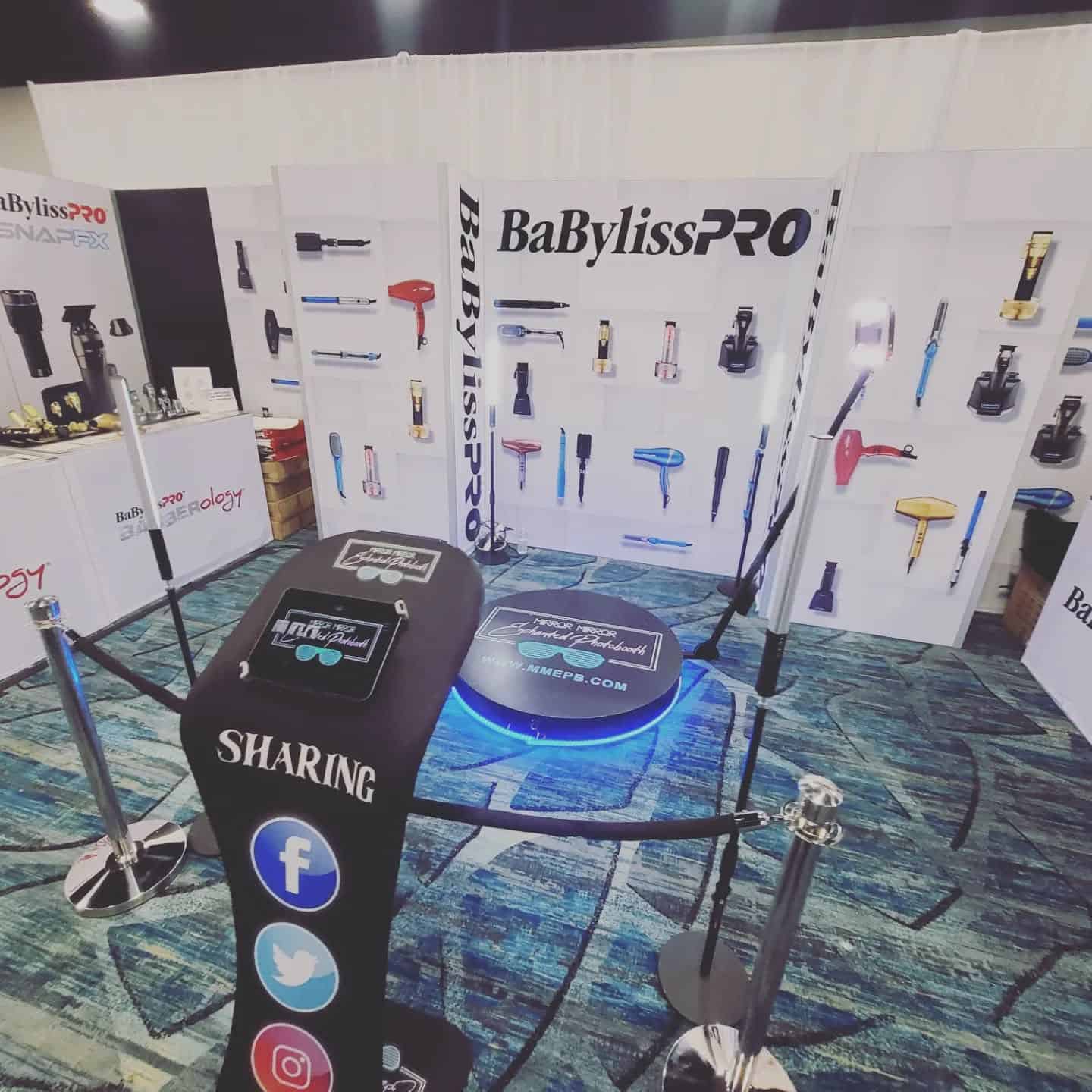
For a wedding, company celebration or milestone party in Central Florida, share the venue plan with RMJ Entertainment before assigning a corner to the booth. Our 360 video booth rental is a digital experience with custom video designs, LED lighting, VIP stanchions, a sharing station and a booth attendant listed among its standard features. Confirm the arrangements for your event rather than estimating the footprint from a photograph.
Plan a 360 video booth setup around three zones
Think of the booth as an experience with an arrival, a recording moment and an exit. The recording zone includes the platform and the moving camera equipment. The waiting zone gives the next guests a clear place to stand outside that operating area. The sharing zone is where people can collect their videos without blocking the next group.
These zones do not have to look like separate rooms. They simply need to work as separate activities. Mark them on the venue plan and walk through what happens when one group finishes as another arrives. A few minutes of planning can reveal a queue that would otherwise back up into a doorway or a serving station.
Get the actual footprint before approving the floor plan
The platform dimensions alone do not describe the space the experience requires. Ask the team for the operating clearance, guest approach, sharing-station position and access needed for your selected setup. Do not place tables or décor inside that clearance because they seem far enough from the platform itself.
Send the venue name, room dimensions and a floor plan if you have one. Include fixed features such as columns, steps, doors and low fixtures. Ask the venue and RMJ to agree on a location before furniture is finalized. Exact requirements depend on the equipment and venue; a generic measurement found online is not a substitute for that confirmation.
Keep the queue away from the busiest paths
A visible booth can attract guests naturally, but visibility does not require placing it directly at the entrance. Leave routes to exits, restrooms, seating and service areas clear. Consider when your room becomes busiest: dinner service, a room change, the end of a presentation or the start of dancing can all change how guests move.
At a wedding, avoid sending the booth queue across the path between tables and the dance floor. At a company event, keep the waiting area clear of registration and presentation seating. The stanchions can help define the experience, but the layout still needs enough room for people who are simply passing by.
Treat the camera background as part of the room
A rotating camera sees more than one small backdrop. Look around the whole proposed location, including the view toward open doors, service carts and storage areas. A tidy, intentional setting helps the final clip feel connected to the occasion. Ask what will be visible from different angles before placing a decorative wall immediately beside the booth.
Room lighting matters too. RMJ lists LED lighting for the booth, while the surrounding venue may have its own effects and changing colors. Coordinate those choices with the event team. Our guide to choosing uplighting colors can help you discuss a consistent room palette without expecting the booth lighting to replace every other light in the space.
Give video sharing its own stopping point
The recording is only one part of the guest experience. People may want to watch their clip, collect it and show their friends. If that happens in the same spot where the next group needs to enter, the booth can feel slower than it really is. Ask where the sharing station should sit and how guests will be directed toward it.
Confirm the delivery process and any connectivity arrangements with RMJ and the venue before the event. Do not promise guests a specific delivery method or connection speed unless the team has confirmed it. Clear instructions from the attendant help people understand what to do next without crowding around the recording area.
Fit the booth into the event timeline
Discuss when the experience should be available and how that relates to dinner, speeches and performances. A booth may be especially appealing during a social part of the evening, but guests should not have to choose between an important announcement and collecting their video. Share the timeline with everyone managing those moments.
Your DJ or host can introduce the experience when it fits the program. The event music planning guide offers a useful starting point for coordinating cues and energy across the evening. Agree on the announcement and timing in advance instead of relying on an improvised interruption.
Plan for different comfort levels
Some guests will step forward immediately; others will want to watch first. Keep a comfortable viewing area outside the operating clearance, and let the attendant explain how to participate. Follow the team’s guidance about group size, movement and personal items. The goal is an enjoyable clip, not the most crowded platform possible.
Tell RMJ about access needs early so the team can explain suitable options. If your plans center on larger group video moments, compare the Sky 360 group experience only after confirming its current setup and suitability with the team. Different experiences have different requirements; do not assume one layout works for every booth.
Send one clear venue brief
Before your event, collect the date, location, room plan, setup access, proposed operating times and on-site contact in one message. Include the position of nearby entertainment and any venue restrictions that could affect placement. Ask the venue and RMJ to resolve outstanding questions before the final floor plan is circulated.
A good 360 video booth setup feels easy to use because the practical details have already been handled. Guests can find the experience, participate with guidance and move on with their video while the celebration continues. Start with the space and the people using it, then build the visual details around that plan.
Build Your 360 Booth Venue Brief
Share your venue layout and event schedule with RMJ so we can discuss the right 360 video booth experience for your celebration. Confirm the equipment clearance, setup access and sharing arrangements before finalizing the room.
Check your event date or explore RMJ entertainment experiences to start planning.
Explore Our Event Services
Explore our 360 video booth and full range of event experiences to plan entertainment that suits your venue and guests.